Memberships and subscriptions turn one-time clients into recurring revenue. Instead of charging for every visit, you sell a plan once — a monthly gym membership, a quarterly care package, an annual loyalty tier — and Nkapio handles the billing cycle, tracks what each subscriber has used, and reminds you before a plan lapses.
A membership is built from three pieces. A plan sets the price and how often it renews. Each plan carries one or more benefits — an included allowance of visits, a standing discount, or open access to certain services. When a client buys the plan, they get a subscription: their own copy of it with a status, a billing period and a running usage count. Understanding those three layers makes everything below easier to follow.
This area is for managing memberships you sell to your clients. It is separate from your own Nkapio plan — for that, see your Nkapio plan and billing.
Step 1 — Open Memberships
In the sidebar, expand Operations and open Memberships. The list shows every plan you offer, its price and billing frequency, and how many active subscribers each one has. If the section is missing, the subscriptions feature is switched off for your workspace, or your role does not include the manage subscriptions permission — an owner or manager can enable both.
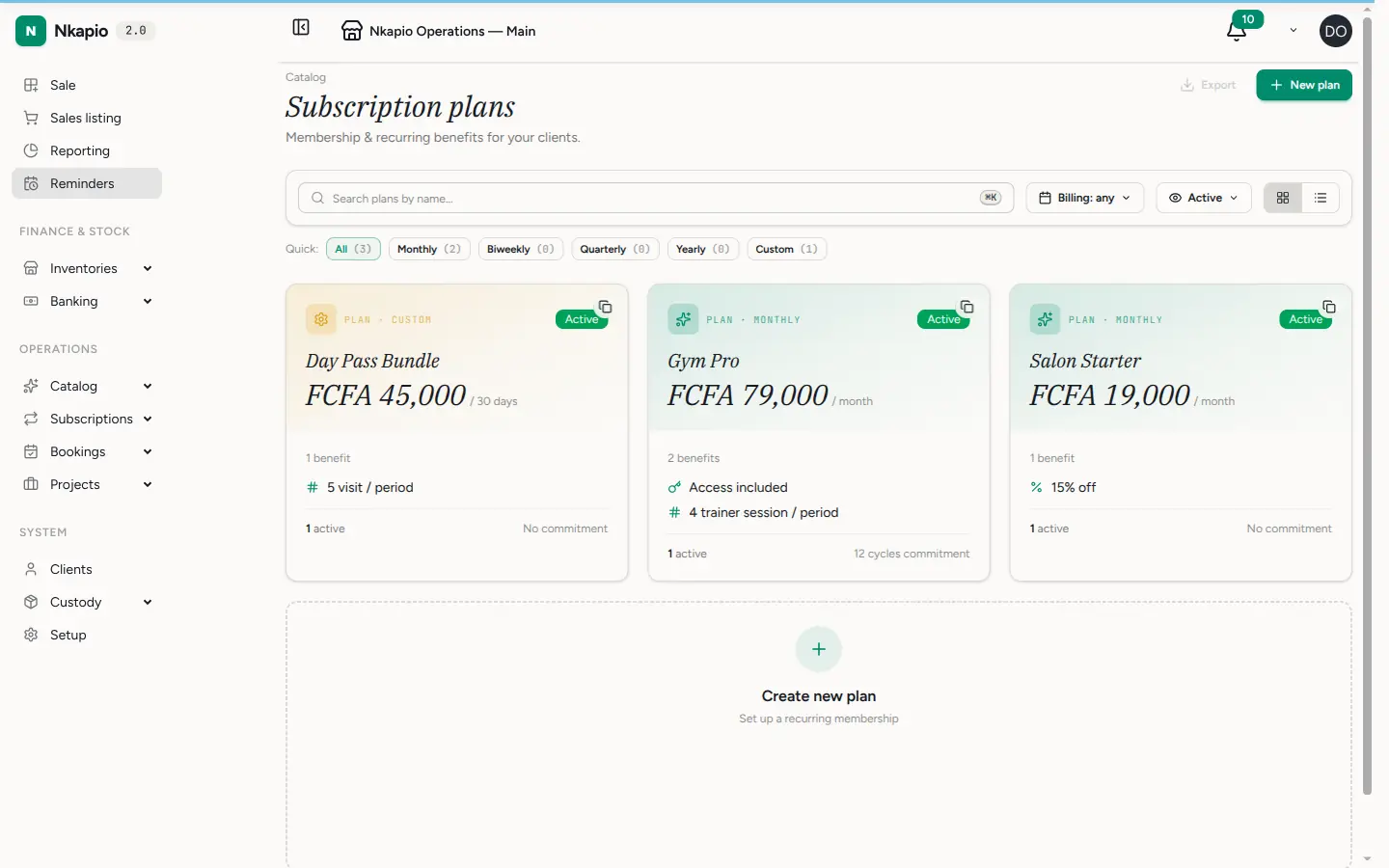
Step 2 — Create a plan
Click New Plan and set its name, description, price and billing cycle — monthly, quarterly, yearly, every two weeks, or a custom number of days. Then add the plan's benefits, which are what the client actually gets for their money. Each benefit has a type and a scope:
- Discount — a percentage off (0–100%) that applies whenever a covered service is booked.
- Quota — a fixed number of included uses per period (for example, five massages a month). Set a rollover rule if unused visits should carry into the next period.
- Access — flat, uncounted access to a set of services, with no per-visit tally.
- Metered — usage is allowed beyond a limit at a per-unit overage rate.
The scope decides what each benefit covers: a single service, a whole category, a product, or everything you offer. A plan can combine several benefits — say, 15% off everything plus five included visits — so build it up one benefit at a time.
Plans also carry the rules that govern the whole lifecycle: an optional free trial, a grace period after a missed payment, a minimum commitment, how cancellations are handled, and whether a paused subscription freezes the clock or only suspends access. Leave these at their defaults if you are not sure; you can refine them later.
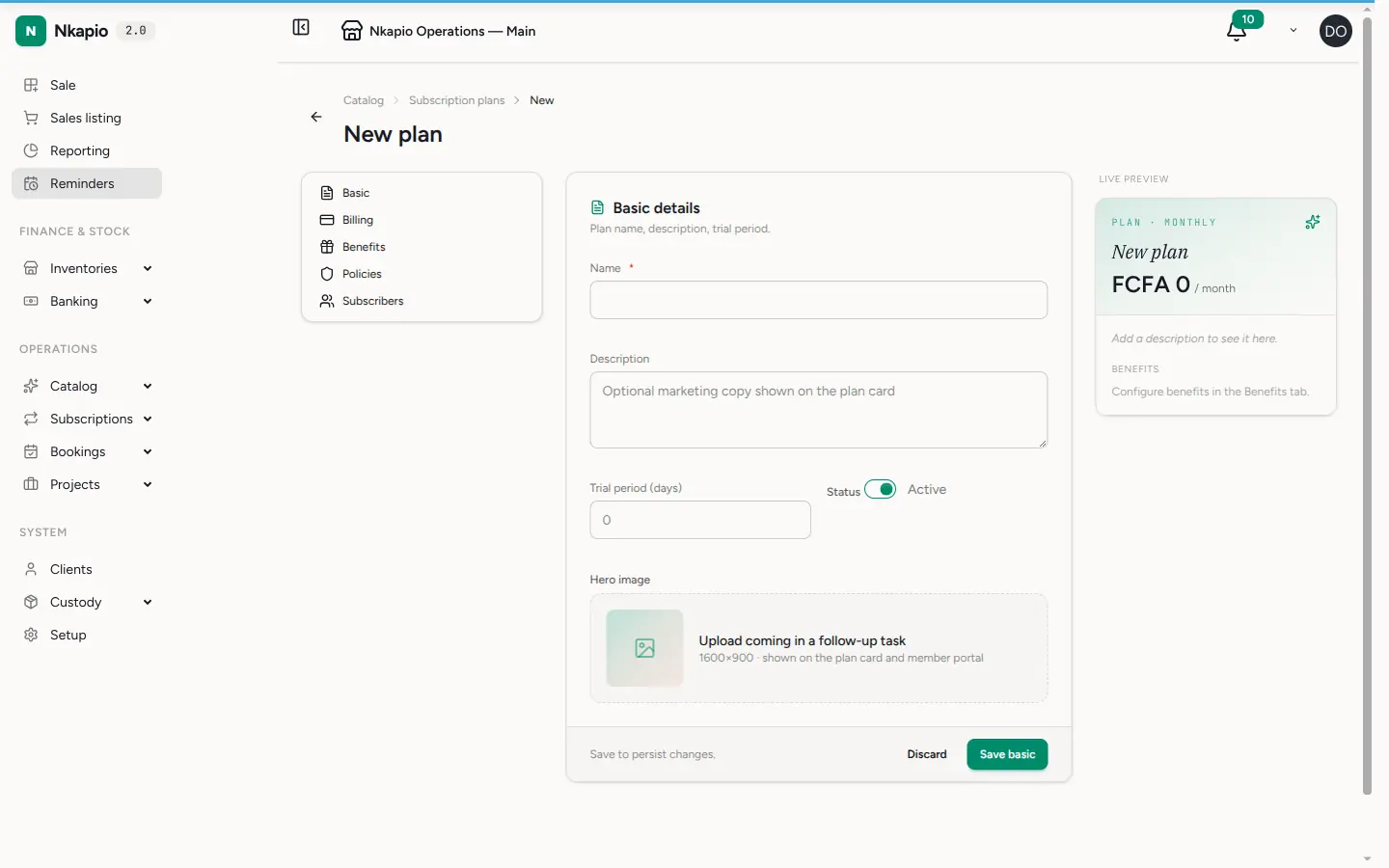
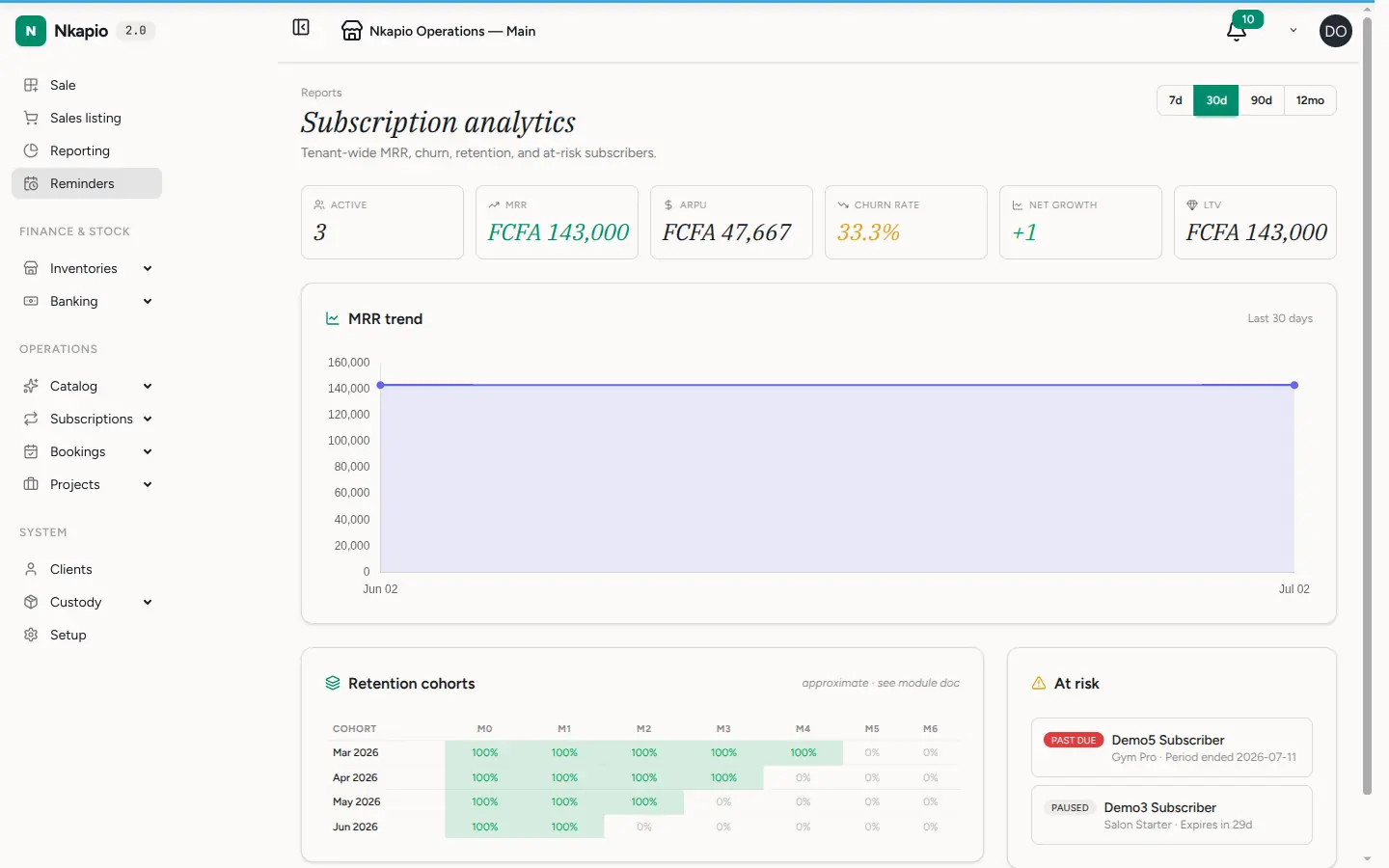
Step 3 — Monitor subscriber analytics
Open the memberships analytics view to see active subscribers, monthly recurring revenue, upcoming renewals, and churn — clients whose subscription lapsed without renewing. This is where you spot renewals coming due and follow up before a lapse turns into a lost subscriber. For a fuller breakdown by plan and cohort, see subscription reports.
How benefits get consumed
Once a client holds an active subscription, its benefits apply automatically to their bookings — you do not tick anything by hand. A discount benefit reduces the price of a covered service at booking time. A quota benefit counts down as bookings complete: each finished visit that matches a benefit's scope records one use against the allowance. When a quota runs out, the plan's over-limit rule decides what happens next — either the extra visit is refused, or it is charged at the full standard price. Every use is logged, so the balance you see reflects real activity, not estimates.
Before you start
- A trial is optional. If a plan has a trial period, new subscriptions begin as trialing and convert to active automatically when the trial ends.
- One active subscription per client. A client can hold only one live plan at a time — cancel or let the current one expire before selling a new one.
- Renewals are automatic. Subscriptions renew on their own at the end of each period when auto-renew is on, and a renewal notice goes out a set number of days ahead so no one is surprised.
- Quota consumption follows completed bookings. A benefit is only burned when a matching visit is actually completed, so cancelled or no-show appointments do not eat into the allowance.
Tips and FAQ
- What are the subscription statuses? A subscription moves through trialing, active, past due, and finally expired, or it can be cancelled at any point. Paused is a separate state you set deliberately.
- What happens when someone pauses? Depending on the plan's pause policy, pausing either freezes the billing clock until they resume, or keeps the clock running but suspends access.
- A benefit isn't applying — why? Check the benefit's scope. A benefit scoped to one service or category only covers bookings within that scope; set the scope to all if it should apply everywhere.
- Combine benefits freely. Layering a broad discount with a small included quota is a common, effective plan shape — clients feel the everyday saving and the headline "free visits" perk at once.