Two classic ways to grow revenue and lock in loyalty: packages bundle several services at one attractive price, and gift cards sell prepaid value that clients spend later or offer to someone else. Both are set up once in the catalog and then sell alongside everything else — at the point of sale and on your booking links. Setting them up is admin work, so it needs the matching catalog and gift-card permissions; selling and redeeming them happens at checkout like any other line.
Step 1 — Build a package
In the sidebar, expand Catalog and open Packages. A package groups several services — sessions, combos, cures — and sells them as a single unit. You choose how it is priced: as the plain sum of its services, a flat fixed price, a percentage discount off the total, or free. You can also set a validity window (valid from / valid until) and mark it active so it becomes sellable.
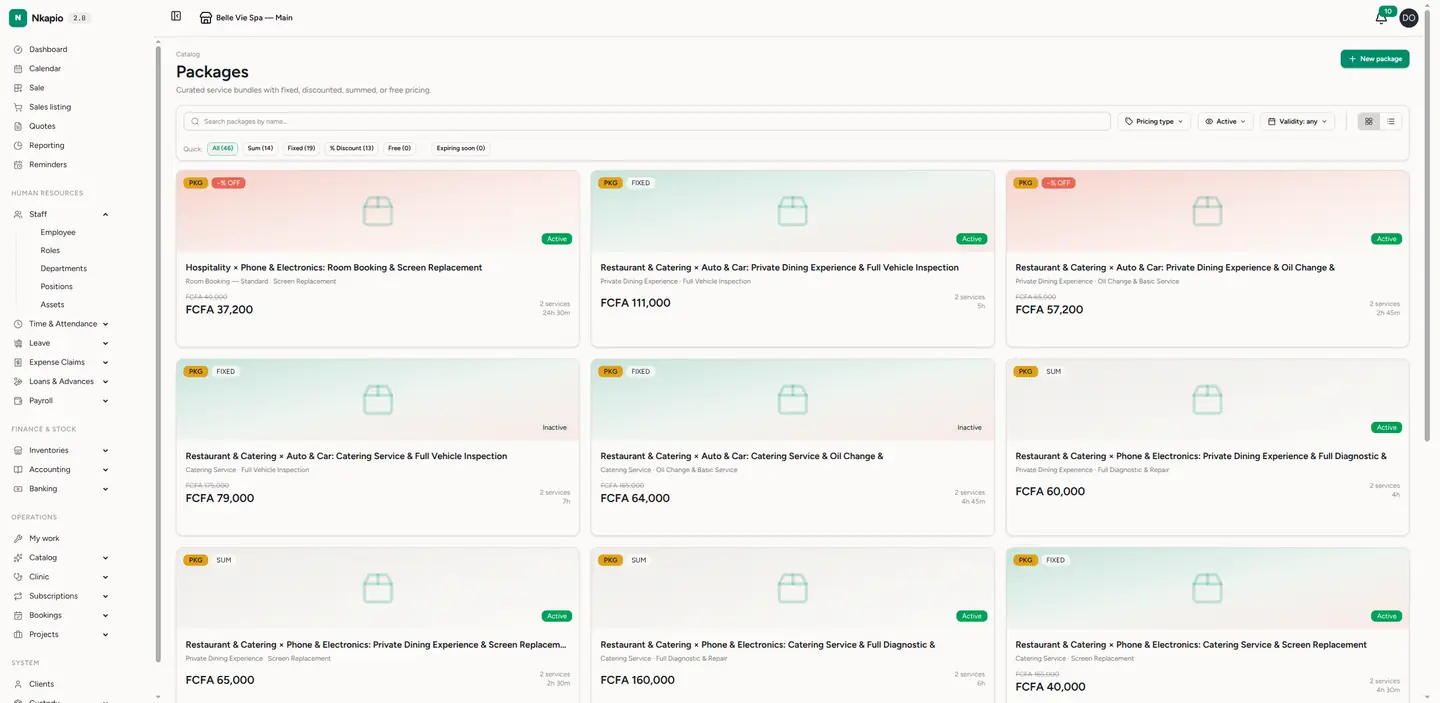
Open a package to work through its tabs: Services & order to add the services and set quantities, Pricing to see the breakdown, Stores to choose where it is offered, Staff to see who is qualified, and Online booking to publish a public link. One rule to keep in mind — every service in a package must share at least one common store, otherwise it cannot be saved. Need a variant of an existing package? Use Duplicate and adjust the copy; retire an old one with Archive rather than deleting it.
Step 2 — Sell gift cards
Open Gift Cards (under Inventories). Issue a card with its amount and a unique code — type your own or tap Generate Code for one. An expiry date is optional (leave it empty for a card that never expires), and you can add a note for context. Each card tracks two figures: the initial amount it was loaded with and the current balance still available to spend.
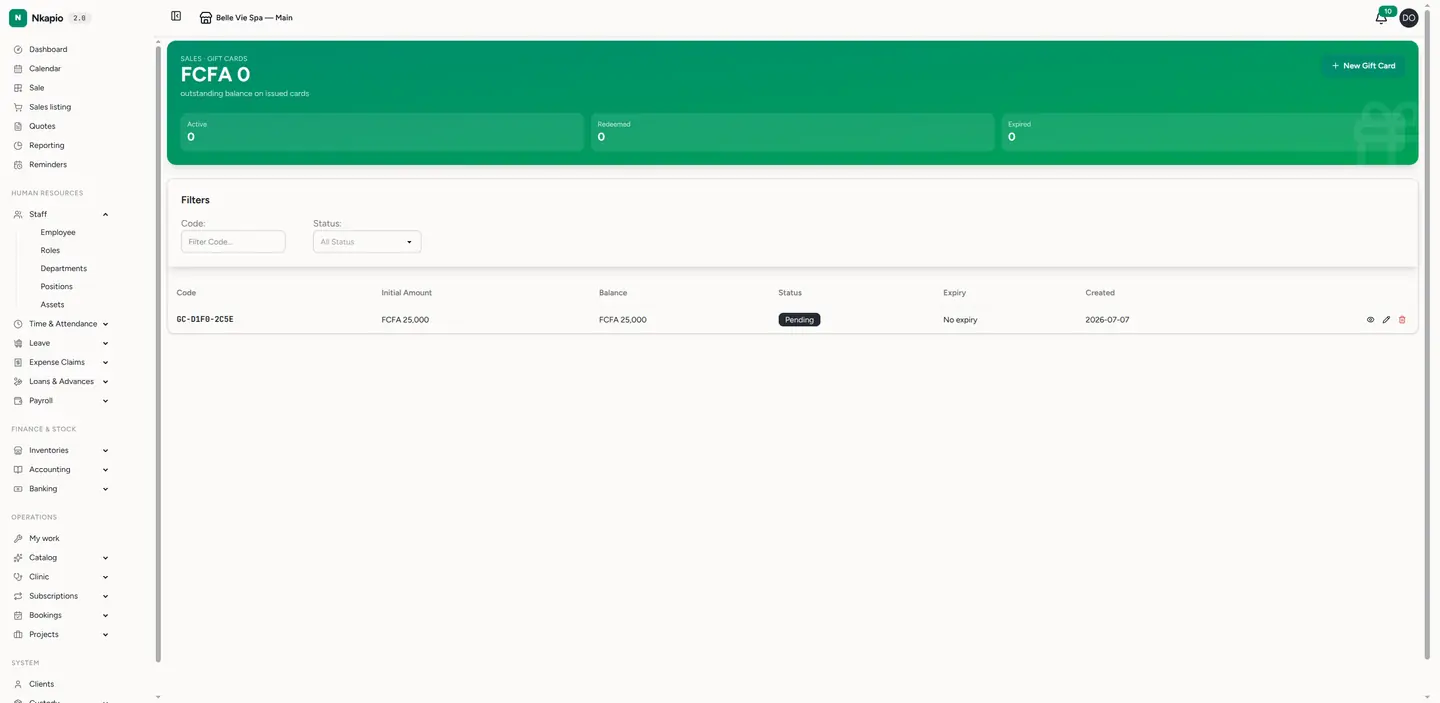
A card starts life as pending and becomes active when it is sold. From there it moves through redeemed once the balance reaches zero, or expired / cancelled if it lapses or you void it. Redemption is partial-friendly: spend part of a card and the remainder stays on the balance for next time — the card stays active until it is fully used.
Step 3 — Sell and redeem them like anything else
Packages appear in the POS catalog under their own Packages tab and on any package-enabled booking link, so clients can book the whole bundle in one go. Gift cards are handled at checkout as a payment method: enter the card code, Nkapio looks it up, confirms it is active with a balance, and applies it to the sale. You cannot spend more than the remaining balance in a single go, and the balance updates automatically after each redemption.
Tip: packages track remaining sessions per client automatically — no more paper punch cards. And because gift cards carry a live balance, a client can pay part cash, part card, and come back for the rest.
FAQ
- What happens on partial redemption? The spent amount is deducted, the card keeps its remaining balance, and it stays active until fully used.
- Can a gift card expire? Only if you set an expiry date — otherwise it has no expiry. An expired or cancelled card can no longer be redeemed.
- Why won't my package save? Most often because its services don't share a common store. Give them a common offering store and try again.