Not every customer needs a full client profile. A guest is a lightweight record for a walk-in — someone you're serving once, or before they become a regular — captured with just a name and contact details. It's the fastest way for the front desk or a busy counter to record who they're serving without stopping to build a complete profile. Guests live under Clients → Guests.
Behind the scenes a guest is stored alongside your full clients, so it can be attached to an invoice or a booking exactly like any other customer. The only difference is what you've filled in: a guest carries a name and contact details, while a full client also carries a client number, communication preferences and the history that builds up over time.
The guests list
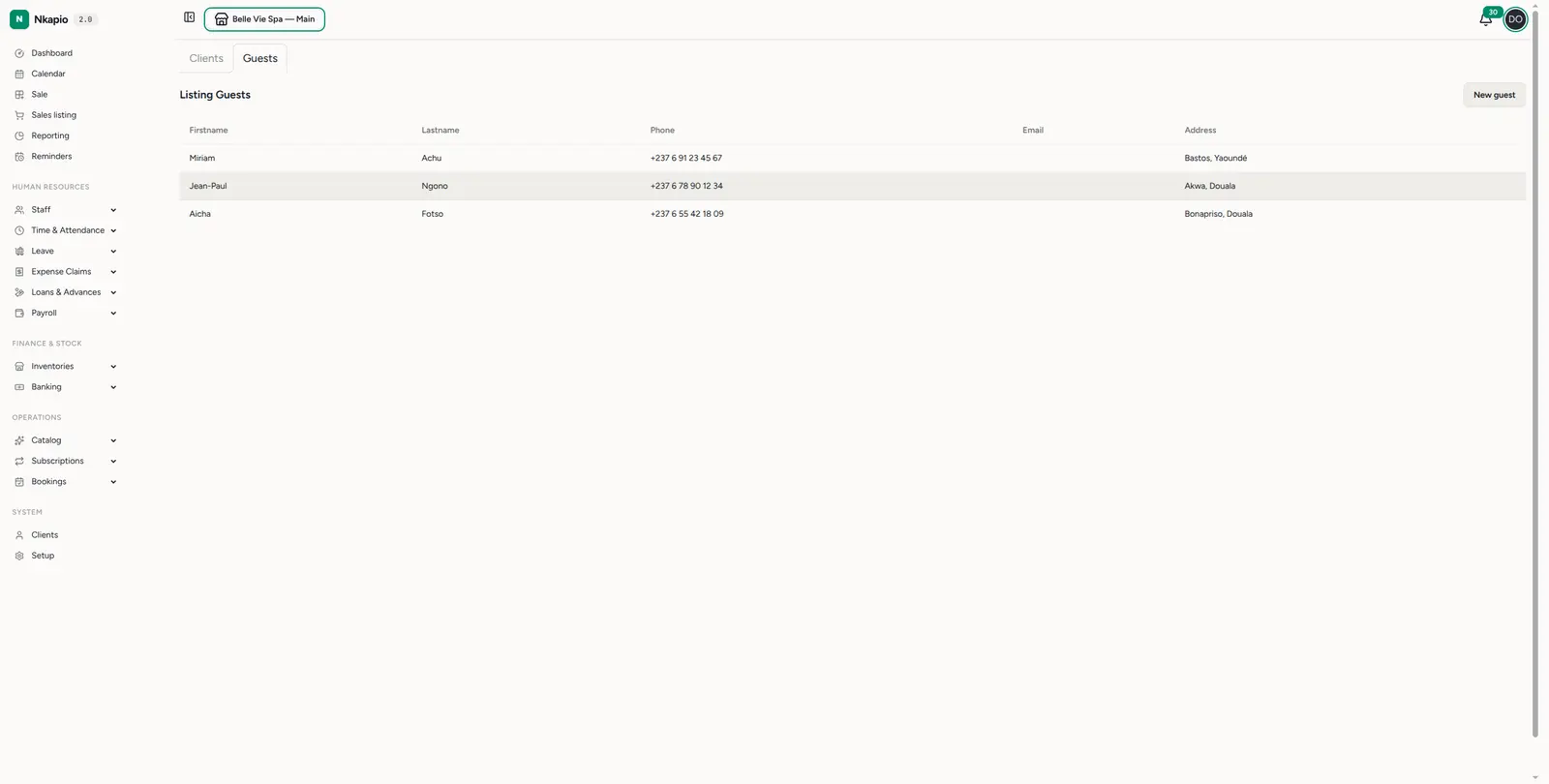
Clients → Guests (/clients/guests) lists your walk-in guests with their
first name, last name, phone, email and address, newest
first. The Clients and Guests tabs at the top let you flip between full
client records and lightweight guests, so the two never clutter the same list.
Adding a guest
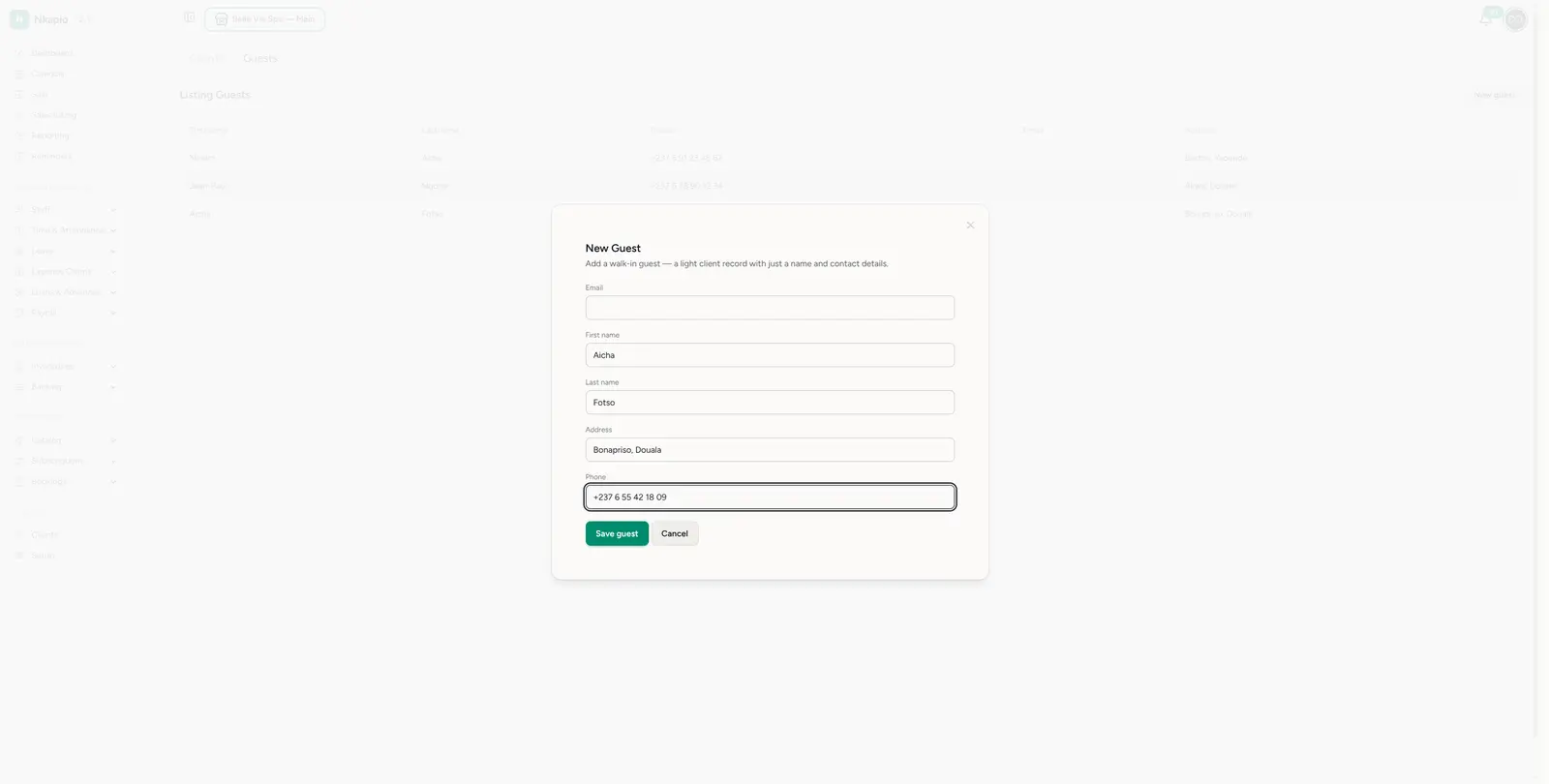
Click New guest to open the form. Enter what you have — first name, last name, phone, address, and optionally an email — and Save guest. There's no requirement to fill every field; a name and a phone number are often enough for a walk-in.
You don't always have to come here first. When you enter a name and phone number directly at the point of sale or on the walk-in booking form, Nkapio creates the guest record for you on the spot — so serving a walk-in never has to interrupt the sale or the booking.
Turning a guest into a full client
Once a walk-in keeps coming back, you'll want to keep them on file properly. Nkapio can convert a guest into a full client — this assigns them a client number and unlocks everything a full profile carries: history, bookings and subscriptions. Conversion keeps the same record, so nothing already captured is lost.
Before creating a new client, Nkapio checks for an existing client that matches the guest's details. If it finds one, you can link the guest to that client instead of creating a duplicate — the walk-in's booking and related data move across to the existing client, and the guest record is removed. This keeps a single, clean profile per customer rather than several near-identical ones.
Before you start
- Permissions. Creating, editing and converting guests each depend on your role. If you don't see the New guest button or the option to convert, ask an administrator to grant the matching permission.
- What a guest can and can't do. A guest can be served, invoiced and booked like any customer. What it doesn't have until you convert it is a client number and the full profile — so long-term tracking, subscriptions and richer history belong to full clients.
- Guests aren't deduplicated automatically. Two walk-ins with the same name or a shared phone stay as separate guest records. Deduplication happens when you convert or link a guest, not while you're adding them — so it's fine to capture quickly and tidy up later.
Tips
- Use guests for one-off visits — reserve full client profiles for repeat customers you want to track over time.
- Capture a phone number — it's the fastest way to reach a walk-in about a booking or a ready order.
- Promote regulars to clients — once a guest keeps coming back, convert them to a full client to unlock history, bookings and subscriptions.
Frequently asked questions
Can I sell to or book a guest without converting them first? Yes. A guest can be attached to an invoice or a booking straight away. Convert them only when you want the full profile and history.
Will converting a guest lose what I've already captured? No. Conversion keeps the same record and simply promotes it — the name, contact details and anything already linked stay with it.
What if the walk-in is already a client? When you convert, Nkapio looks for a matching client. If one exists, link the guest to it instead of creating a duplicate, and their data moves across.