Lending staff money and paying salary early are everyday realities for a Cameroon SME. A driver needs a travel advance before a trip; a technician asks for a small salary advance to bridge to payday; a long-serving employee takes a personal loan repaid over several months. This page is where you record all of it, so nothing is lost, every franc is tracked to repayment, and the amounts flow back out of the payslip automatically. Both tools live under Human Resources → Loans & Advances and are usually managed by whoever runs HR or payroll.
The two tools cover two different needs:
- A loan is a larger sum repaid over a term — you set the amount, an optional interest rate, and the number of months, and Nkapio builds a monthly repayment schedule.
- An advance is a small, short-term draw — money the employee will pay back quickly, most often against the next payslip, with no interest.
Loans
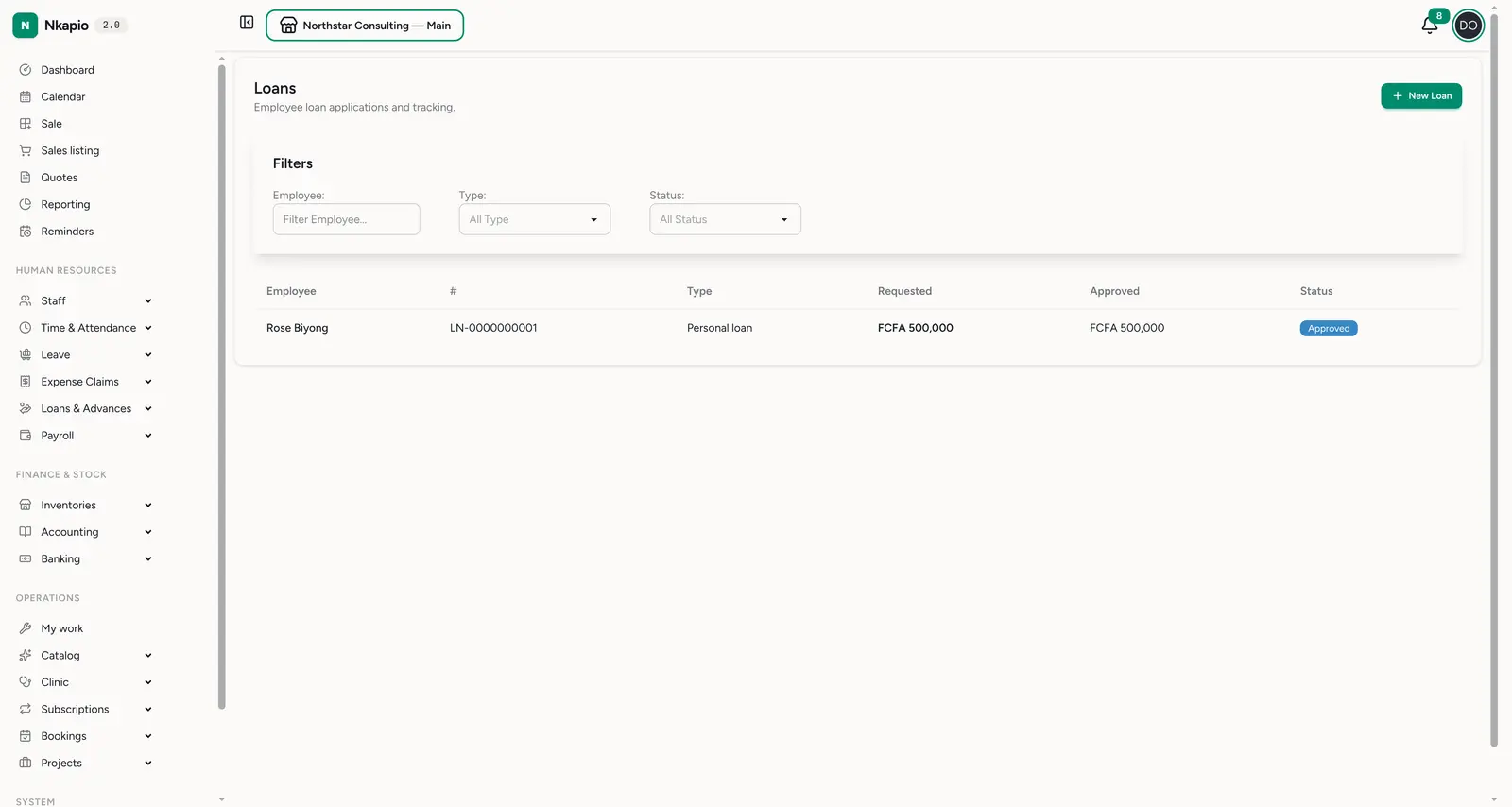
Loans & Advances → Loans (/staff/loans) lists every employee loan and its
tracking. Each row shows the employee, a loan number, the type, the
requested and approved amounts, and a status. Filter by employee, type
or status to find one quickly. Loan types cover the common cases — salary advance,
personal, emergency, education and vehicle — so you can report on why money was
lent.
A loan carries its own running figures: once approved, Nkapio computes the total repayable (the approved amount plus any interest), the monthly installment (total repayable divided by the repayment months), and an outstanding balance that falls with every payment recorded. Those four numbers — requested, approved, repaid and outstanding — sit at the top of each loan so you always know where it stands.
Advances
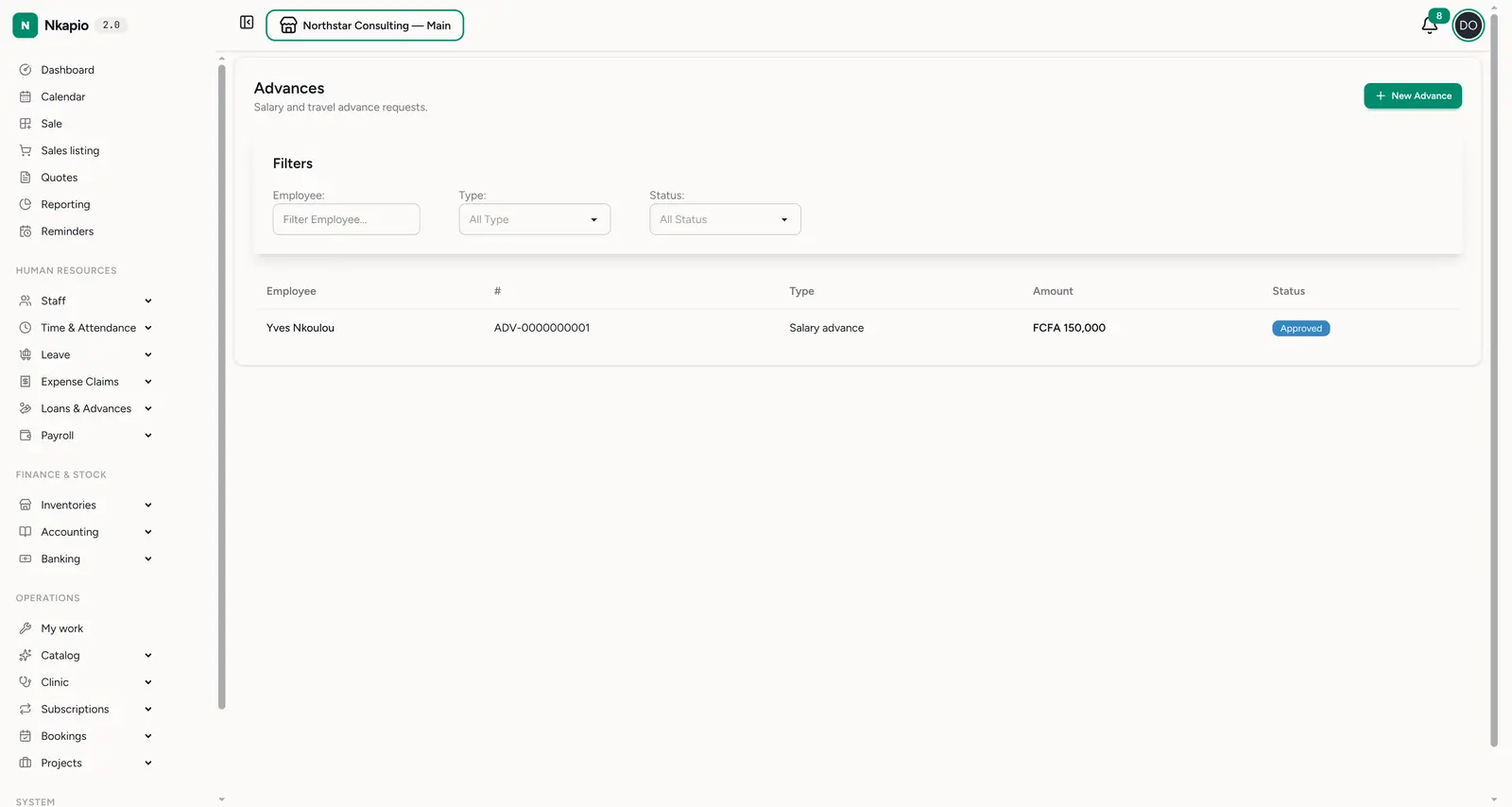
Loans & Advances → Advances (/staff/advances) handles salary, travel and
project advance requests — smaller, short-term amounts with no interest, usually
cleared soon after they are paid. Each row shows the employee, an advance
number, the type, the amount and its status.
An advance is settled one of three ways, which you choose on the request:
- Salary deduction — spread the recovery over a number of months; Nkapio generates one deduction per month and pulls each from the payslip on its due date.
- Direct payment — the employee pays you back directly (e.g. cash or transfer), and you record each settlement against a bank account.
- Expense adjustment — the advance is cleared against an expense the employee later files (for example, a travel advance offset by the trip's real costs).
Deduction months only apply when the settlement method is salary deduction — Nkapio will flag it if you set months for a direct or expense settlement.
Creating one
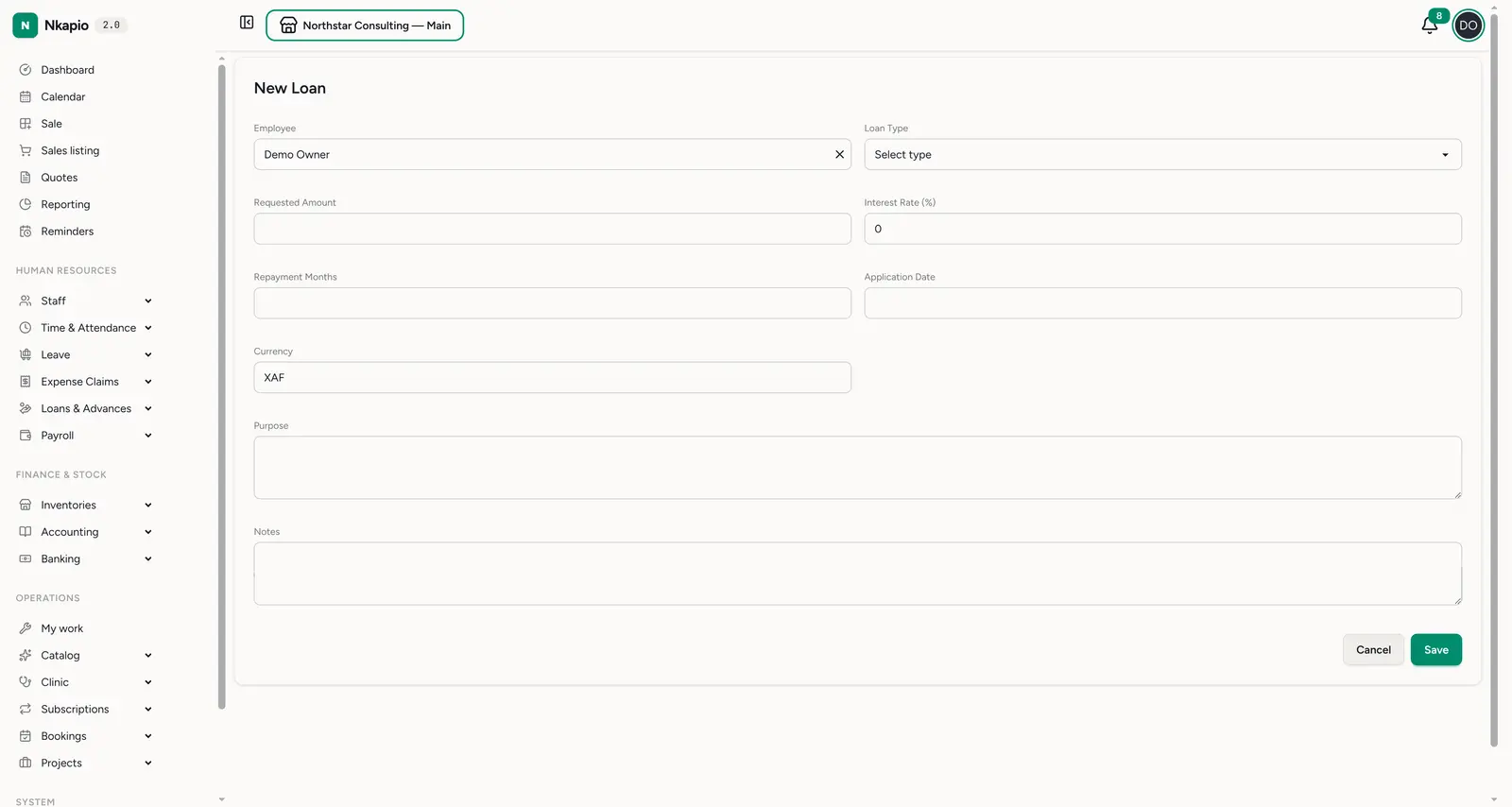
New Loan (/staff/loans/new) — and the matching New Advance — opens a
simple form. For a loan you pick the employee and type, then enter the
requested amount, interest rate, repayment months, application date
and currency, and add a purpose and any notes; you can also name a
guarantor. An advance asks for the type, amount, request date,
optional required-by date, the settlement method and — for salary deduction
— the number of deduction months. Save it, then approve it from the record.
The lifecycle
Both loans and advances move through a short, deliberate set of steps. Nothing disburses or deducts until it has been approved, so a request is never money out the door by accident.
- Submitted / pending — the request is recorded but does nothing yet. While it is still pending you can edit it or cancel it.
- Approved — a manager approves it and confirms the approved amount (it can differ from what was requested). At this point Nkapio locks in the repayment figures: for a loan, the total repayable, monthly installment and first outstanding balance; for a salary-deduction advance, the monthly deduction.
- Disbursed — you release the money from a bank account, which records the outflow against that account. Disbursing a loan builds its full repayment schedule, one installment per month; disbursing a salary-deduction advance creates its monthly deduction entries.
- Active / repaying — the loan is now being paid back. Record each installment as it comes in, or let payroll deduct it (see below). Advances move to partially settled and then settled as recoveries land.
- Completed / settled — the outstanding balance reaches zero and the record closes.
A request can also be rejected (with a reason) or cancelled while it is still pending or approved. Only approved-and-disbursed items ever affect a payslip.
How repayment reaches the payslip
This is the part that saves the most work. When you run payroll for a period, Nkapio automatically looks for money due back from each employee:
- Loan installments whose due date falls inside the payroll period and that haven't been collected yet are added as a loan repayment line on the payslip.
- Advance deductions due in the period are added as an advance recovery line.
These are discretionary deductions, so they are capped: Nkapio will never let loan and advance recoveries push net pay below zero. Statutory deductions (tax, social security) come out first; whatever room is left is used for recoveries, and anything that doesn't fit simply carries to a later period. When a repayment is recorded — whether through payroll or by hand — the loan's total repaid rises and its outstanding balance falls automatically.
You can also record a payment manually on the loan's repayment schedule: pick the installment, enter the amount, choose a method (cash or bank transfer settle against a bank account), and Nkapio marks the installment paid — or partial if you paid less than the full amount, leaving the remainder due.
Before you start
- The employee must already exist. Loans and advances attach to a staff member, so onboard the person first — see Staff management.
- You need HR permission. Creating, approving, disbursing and settling loans and advances sit in the HR management bundle; a role without it won't see these menus or actions.
- A bank account must be set up to disburse. Disbursement and cash/transfer repayments post against a banking account, so have one configured.
- Approve before the payroll run. Only approved-and-disbursed items feed the deduction, and only installments dated inside the period are collected.
Tips
- Set the repayment months carefully — they drive the monthly installment, so the loan clears exactly on schedule.
- Use advances for short-term needs — reserve loans for larger amounts that repay over several months with an interest rate if you charge one.
- Watch the outstanding balance, not the approved amount — it is the live figure that tells you what the employee still owes.
- Partial is normal — if an employee can only pay part of an installment, record what they paid; the remainder stays due and shows as partial.
FAQ
What happens to a partial repayment? The installment is marked partial, the amount you entered is credited to the loan (raising total repaid, lowering outstanding), and the unpaid remainder is still owed on that installment.
Can I lend more than was requested? Yes — you confirm the approved amount when approving, and it can be higher or lower than the requested figure. All the repayment maths is based on the approved amount.
How is interest applied? A loan's interest rate is applied once to the approved amount to give the total repayable, which is then split evenly across the repayment months. Advances carry no interest.
Can I edit a loan after approving it? No — only pending requests can be edited. After approval, cancel or reject it (while still eligible) if the terms were wrong.