When a patient needs care you don't provide yourself — a specialist opinion, an imaging study, a procedure at another facility — raise a referral so the request and every step of its progress stay on the patient's record. A referral captures who is being asked, why, and how urgent it is, and gives both sides a shared timeline instead of a phone call that leaves no trace. Clinicians raise referrals; the person you refer to (if they work in your clinic) responds to them. Referrals live under Clinic → Diagnostics → Referrals.
Before you start
Referrals are part of the Diagnostics module, so they only appear once that module is enabled for your clinic. Access follows the same care-team wall as the rest of the clinical record: you can see and act on a patient's referrals when you are on their care team, or when your role can view all patients. Each plan also allows a set number of referrals per month.
The referrals list
The list shows every referral raised in your clinic, newest first. Filter it by status or urgency, or toggle My referrals to narrow it to the ones where you are either the referring provider or the internal recipient. To raise a new referral, open it from the patient's clinical workspace so it is already tied to the right record.
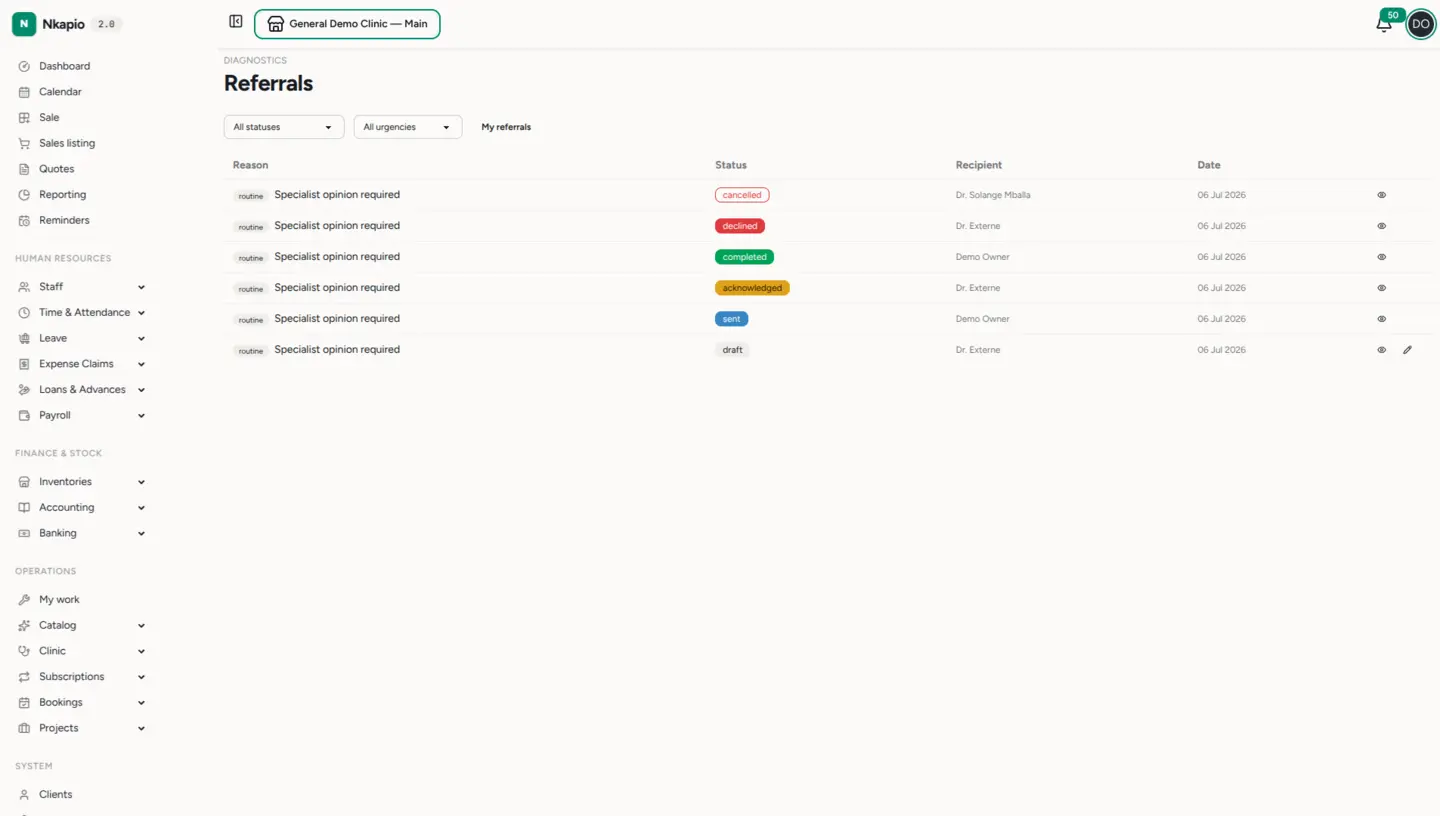
A referral in detail
Each referral records the reason, the recipient and their specialty (for example Cardiology), the referring provider, and — for an outside recipient — a contact number. You can also link the referral to a booking or a diagnosis and attach supporting files. A priority badge (routine, urgent or stat) and a status sit at the top, and the timeline logs each milestone — created, sent, acknowledged, completed — with its timestamp. The recipient can leave response notes when they reply, and the referring provider can use Cancel referral if it is no longer needed.
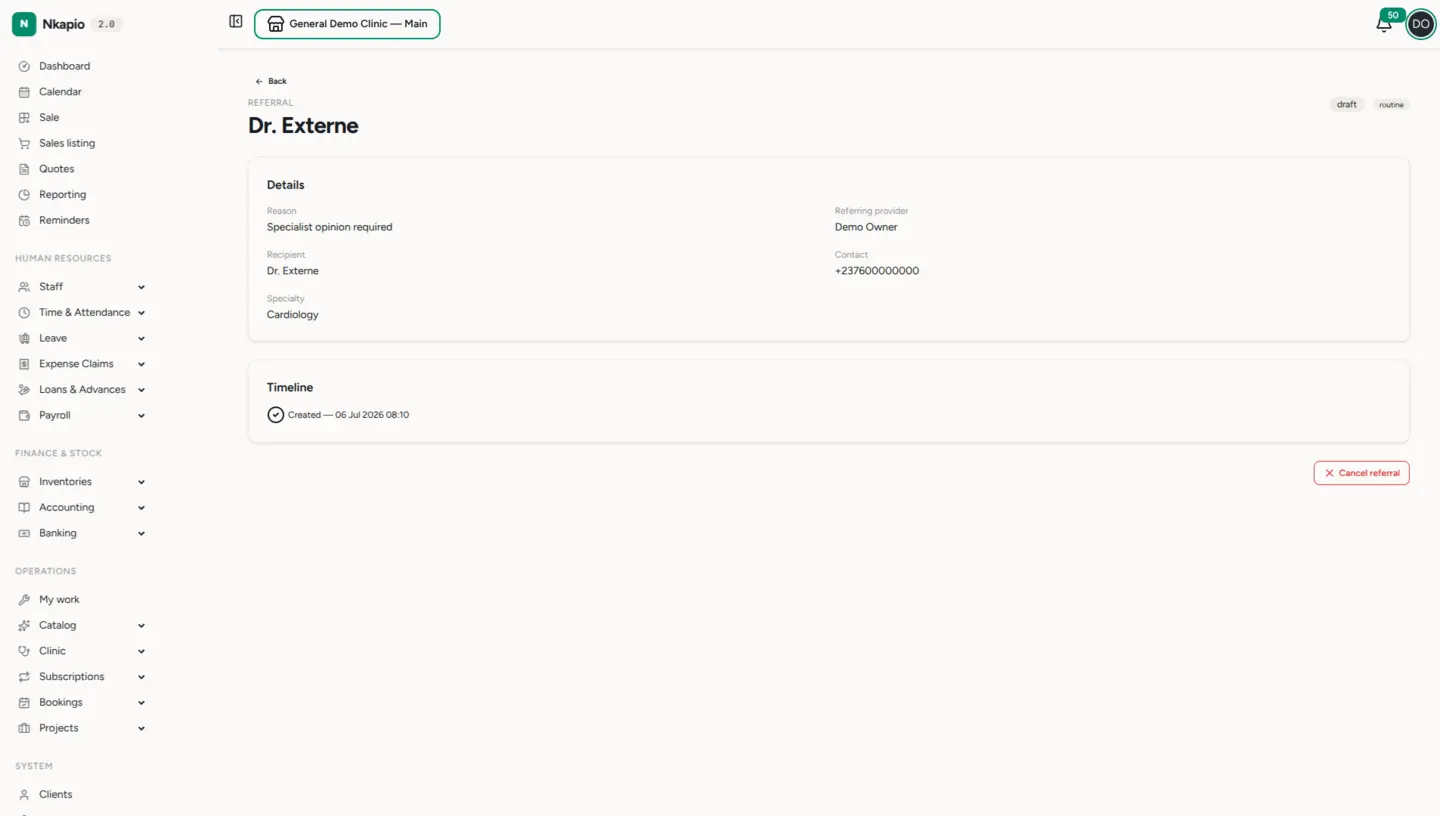
The referral lifecycle
A new referral starts as a draft — visible only in your clinic and still editable. When you send it, it moves to sent and the recipient is notified. From there the recipient acknowledges it (they have seen it and taken it on), then marks it completed once the care has been delivered, or declines it with a note if they cannot take it. The referring provider can cancel a referral at any point before it is completed. The full set of statuses is draft, sent, acknowledged, completed, declined and cancelled.
Internal vs. external referrals
When you create a referral you choose the recipient type:
- Internal — a colleague who works in your clinic. They can open the referral, acknowledge it, add response notes and mark it completed, so the whole exchange stays inside Nkapio.
- External — a provider or facility outside your clinic. You record their name, contact and specialty as free text; there is no login for them, so you update the status on their behalf as you hear back.
Tips & common questions
- Priority levels — routine for standard turnaround, urgent when it needs attention soon, and stat for the most time-critical cases.
- Why can't I see a referral? Access is walled by the care team, just like the rest of the clinical record. If you have clinical access, add yourself to the patient's care team from their workspace.
- Nothing sent yet? A referral only notifies the recipient once you press Send — a draft stays private to your clinic.