The time bank turns attendance into a running hours balance for each employee: overtime credits the bank, lateness and early departures debit it, and staff can later cash the hours out for pay or take them back as time off. It's built automatically from attendance — no manual entry — and lives under Human Resources → Time & Attendance. Managers and HR see everyone's balances and act on requests; each employee sees their own.
The time bank is optional. It only runs when time bank is enabled in your payroll configuration; until then, overtime is simply paid on the payslip and no balances are kept. Because every credit and debit is built from attendance, the feature depends on staff being clocked in and out accurately — see Timesheets and attendance.
How the balance is built
Whenever an attendance record is completed, Nkapio looks at it and writes the matching time-bank entries automatically:
- Overtime becomes a credit. Hours worked beyond the scheduled day are added to the bank. Overtime can be weighted before it lands: weekday, weekend and holiday hours each carry their own multiplier (for example weekday at the worked rate, weekend and holiday hours worth more), and credits can be rounded to the nearest quarter- or half-hour and capped per day, all according to your payroll settings.
- Lateness and early departures become debits. Arriving late (beyond any grace period) or leaving early subtracts the equivalent hours from the bank.
- The balance is the running total. It is the sum of confirmed credits minus confirmed debits, cash-outs and time off taken. A negative balance means lateness has outweighed overtime.
Each attendance record produces at most one entry per reason, so re-saving or correcting attendance updates the existing figures rather than double-counting, and deleting an attendance record reverses the entries it created. Overtime credits can be set to require manager sign-off before they count — until approved, they sit in the approvals queue and don't yet move the balance.
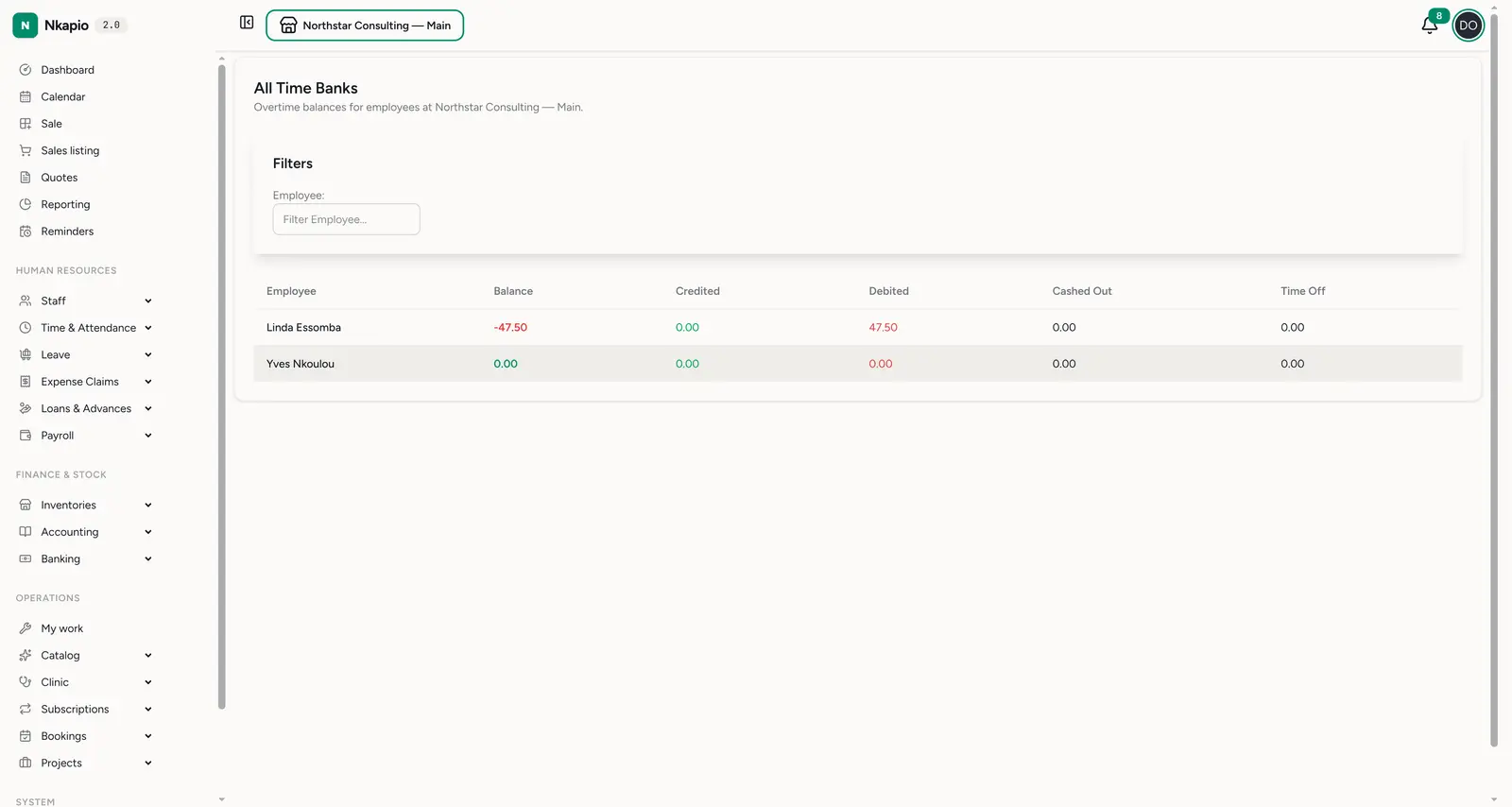
All time banks
Time & Attendance → All Time Banks (/staff/time_bank/all) is the manager
view of every employee's balance: balance, credited, debited,
cashed out and time off in hours. A negative balance (red) means lateness
has outweighed overtime. Each employee also has a personal My Time Bank view
(/staff/time_bank), created automatically when their first attendance is
recorded, where they can see their own balance and open a request.
Requesting cash-out or time off
From My Time Bank, an employee can spend banked hours in one of two ways:
- Cash out — convert hours into pay. It's added to the next payslip as a separate line at the hourly (or a configured) rate.
- Time off — take the hours back as rest, on a chosen date or across a date range.
Each request is checked before it's accepted: the type must be allowed, the hours must meet the configured minimum (cash-out and time-off can have different floors), and a request can't exceed the balance still available after any pending requests. Depending on your settings, a request is either auto-approved on submission or sent to a manager for sign-off.
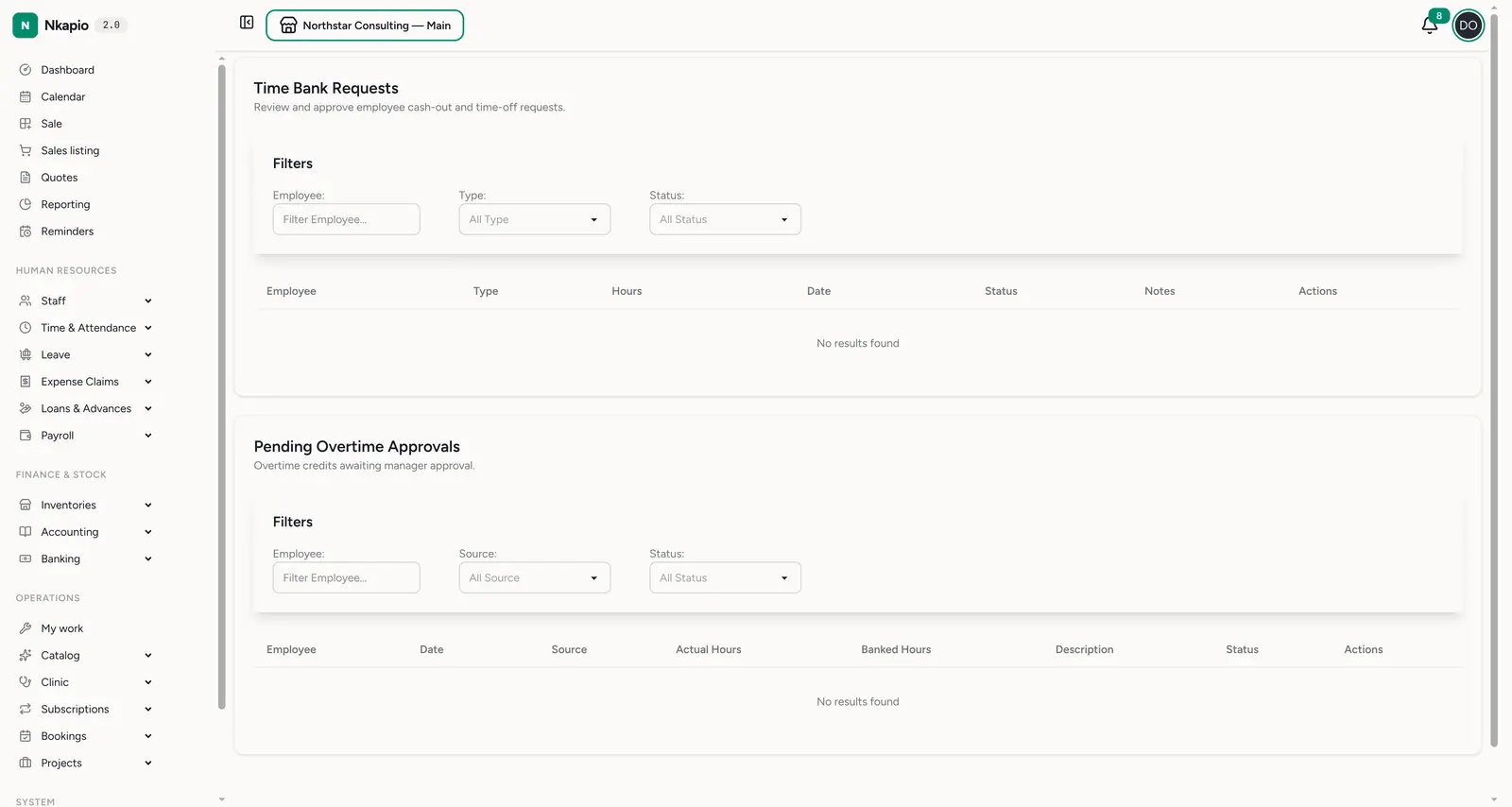
Approvals
Time & Attendance → Approvals (/staff/time_bank/approvals) is where managers
act on two queues: Time Bank Requests (employee cash-out and time-off
requests) and Pending Overtime Approvals (overtime credits awaiting
sign-off). Filter each by employee, type/source and status, then approve or
reject. Approving overtime confirms the credit and it starts counting toward the
balance; approving a time-off request immediately debits the hours from the bank.
An empty queue simply means nothing is waiting.
How it settles into payroll
The two request types settle differently:
- Time off debits the bank as soon as it's approved — the hours are spent there and then.
- Cash-out is settled when you run payroll. Approved cash-out requests for the period are turned into a Time Bank Cash Out line on the payslip, a matching cash-out entry is written to the bank, and the request is marked as processed so it can't be paid twice.
When the time bank is on, worked overtime is banked rather than paid directly, so the payslip's overtime pay comes from cash-outs, not from raw overtime hours. Each payslip also shows the employee's time-bank summary for the period — balance and the hours credited, debited, cashed out and taken as time off. See Payroll processing.
Expiry and annual reset
If configured, Nkapio runs monthly housekeeping on the banks. Credits older than a set number of months can be expired, and an annual reset at the start of the year can carry a capped number of hours forward while expiring the rest. Both are optional — with neither enabled, hours simply accumulate until they're spent.
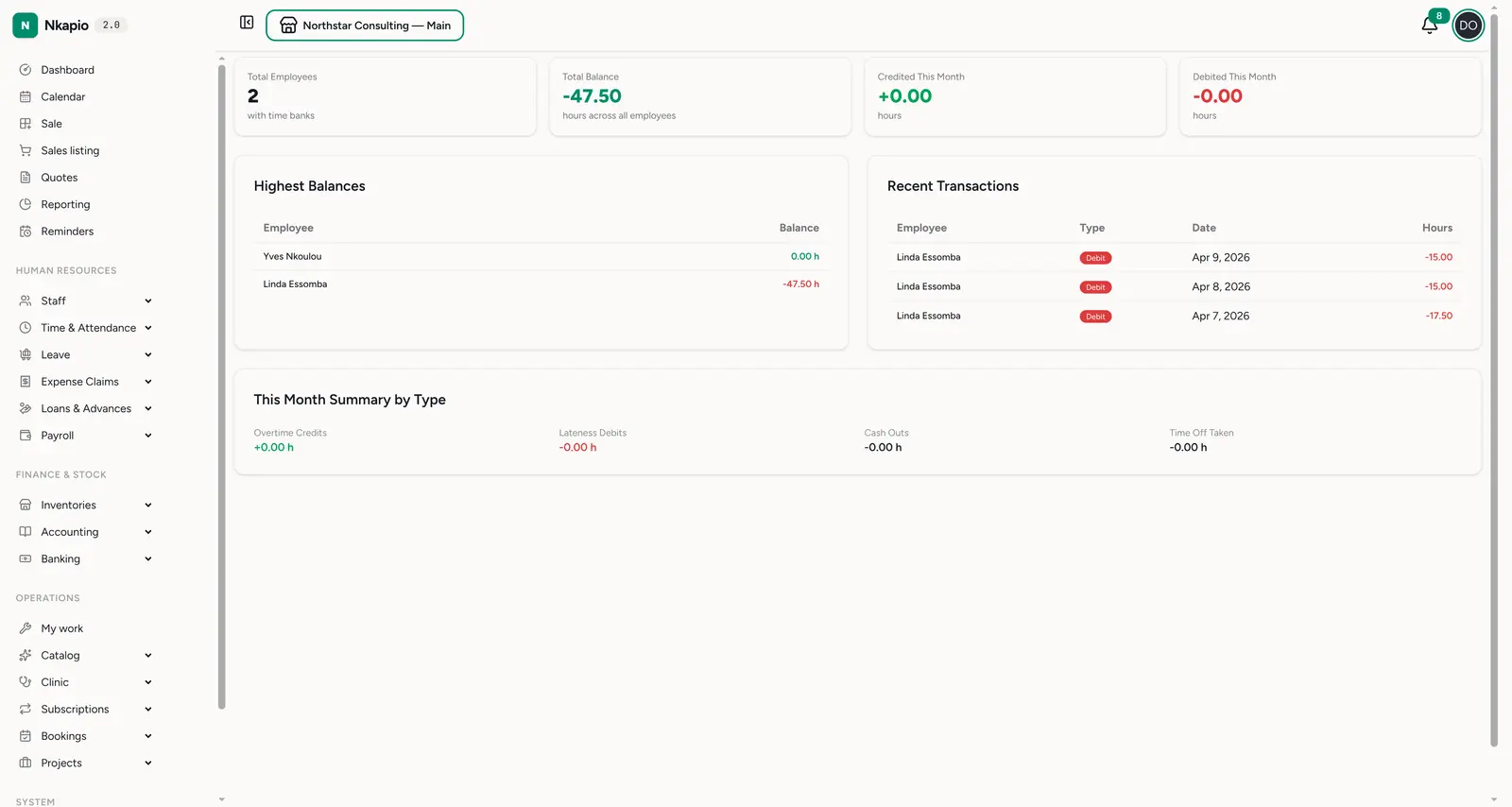
Reports
Time & Attendance → Reports (/staff/time_bank/reports) is the summary
dashboard: total employees with time banks, total balance, and hours
credited / debited this month. Below, highest balances, recent
transactions and a this-month summary by type (overtime credits, lateness
debits, cash-outs, time off taken) show where the hours are moving.
Before you start
- Enable the time bank in your payroll configuration, and set the multipliers, rounding, minimums and cash-out rate to match your policy — the defaults apply until you change them.
- Make sure attendance is accurate. Balances are only as good as the check-in and check-out times feeding them.
- Managers need the right permission to view all banks and to approve or reject; employees can only see and request against their own bank.
Tips
- Approve overtime promptly — if approval is required, unapproved overtime doesn't credit the bank, so balances lag reality.
- Watch negative balances — a persistently negative bank points to chronic lateness worth a conversation.
- Settle before year-end — decide whether outstanding hours are cashed out or taken as time off before an annual reset carries them over or expires them.
FAQ
Why is an employee's balance zero? The bank is created on their first attendance record and only moves once there's approved overtime or a lateness debit. No activity yet means a zero balance.
Why hasn't recent overtime shown up? If overtime approval is required, the credit waits in the approvals queue until a manager signs off. It also won't appear if the time bank wasn't enabled when the attendance was recorded.
Why was a request rejected at submission? Requests are blocked when the type isn't allowed, the hours fall below the minimum, or they exceed the balance still available after pending requests.
When does a cash-out actually get paid? On the next payroll run for that period — it becomes a line on the payslip and the request is then marked as processed.